
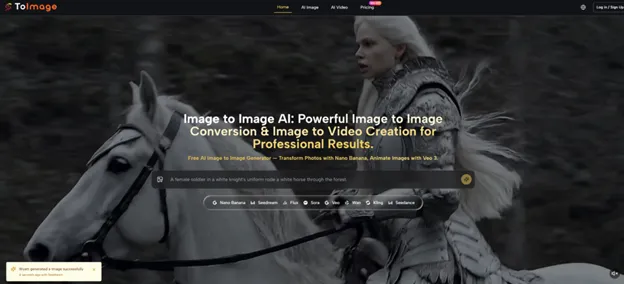
The reason Image to Image is worth attention right now is that many creators no longer need another tool that starts from a blank prompt. What they actually need is a way to take an existing photo, product shot, or visual draft and push it in a new direction without losing the core idea.
That is the practical angle behind ToImage. Based on the official homepage, it is built around two connected workflows: image-to-image transformation and image-to-video creation. In plain terms, the platform is trying to help users start from something they already have, then restyle it, refine it, reframe it, or animate it with different AI models depending on the task. From a practical user perspective, that makes it less about novelty for its own sake and more about controlled visual iteration.
What The Platform Actually Helps You Do
The clearest value of the platform is that it brings several AI generation directions into one place instead of forcing the user into a single model or a single visual outcome. On the image side, the site emphasizes style transfer, hyper-realistic transformation, multiple reference images, character consistency, and more precise editing control depending on the model. On the video side, it extends the same idea by letting users animate a still image into a short cinematic clip.
What makes that meaningful is the starting point. This is not positioned as a text-only image generator first. It is positioned as a workflow for people who already have source material and want to transform it with more control. That matters for creators, marketers, and small teams because editing a real visual asset is usually closer to how work actually happens.
Three Practical Tests Show Its Real Strengths
Looking at the homepage structure, examples, and model descriptions, the product seems strongest when the user has a clear source image and a clear creative objective. Its value becomes easier to judge through real use cases rather than through abstract feature lists.
Testing Style Transfer With Continuity In Mind
The strongest image-to-image use case appears to be guided transformation rather than random generation. The site repeatedly emphasizes turning photos into illustrations, oil paintings, anime looks, or hyper-realistic renders while preserving key elements from the original image.
The Best Results Come From Clear References
A major advantage here is reference support. ToImage highlights that Nano Banana supports up to four reference images, which is important for style consistency and character continuity. From a practical user perspective, that makes the workflow more credible for anyone who needs a recurring visual identity, such as a creator building a character series or a brand trying to keep a product or spokesperson visually consistent across multiple outputs.
Testing Product Scenes For Marketing Variations
The marketing and product visualization angle is one of the most commercially useful parts of the site. The homepage describes using reference photos to generate product mockups, lifestyle images, and ad-ready visuals without requiring a full new shoot.
In that context, Image to Image AI feels less like a novelty effect tool and more like a working environment for visual repurposing. The practical strength is not just image generation quality in the abstract. It is the ability to take one usable asset and spin it into multiple settings, moods, or campaign directions. That lowers friction for e-commerce teams, solo brands, and social media managers who need variation more often than they need completely original art.
Testing Still Images As Short Video Seeds
The image-to-video side broadens the platform in a useful way. The homepage presents Veo 3 as the model for animating static images into cinematic clips, including synchronized dialogue, sound effects, and ambient audio.
That does not automatically mean every result will be production-ready, but it does change the platform’s role. Instead of ending at the image stage, the workflow can continue into motion content. For creators making short-form content, that bridge from still image to video is a practical expansion, especially when one visual concept needs to be adapted for more than one format.
The Website Workflow Is Straightforward But Structured
The official site describes a simple core process for image-to-image creation. The steps are not overloaded, and that is part of the appeal. The workflow stays focused on source image, transformation intent, and model-driven generation.
Step One Begins With A Source Image
The first step is to upload the image you want to work from. This is the foundation of the whole experience, because the product is built around transformation rather than generation from nothing.
The Input Image Often Sets The Ceiling
A stronger starting image will usually make the workflow more useful. If the source photo already contains the subject, composition, or product details you care about, the platform has more to preserve and reinterpret. That makes the tool especially relevant for photo-based editing and creative adaptation.
Step Two Describes The Intended Change
The second step is to describe the transformation you want. The official explanation frames this as telling the AI what kind of change should happen, whether that is a style shift, detail enhancement, background swap, or a more complete reimagining.
Prompt Clarity Matters More Than Most Expect
This step is where user intent becomes visible. A vague instruction may still generate something interesting, but a clear prompt is more likely to give usable direction. That is a real limitation as well as a strength: the platform can unlock a lot, but it still depends on the user’s ability to specify what should change and what should stay.
Step Three Pairs Your Goal With A Model
The third step is to choose a model and generate the result. The homepage makes this part important by presenting different models for different jobs, including Nano Banana, Nano Banana 2, Seedream, Flux, and Veo 3.
Model Choice Changes Both Feel And Control
This is where the platform becomes more than a single-purpose tool. Nano Banana is presented as strong for hyper-realistic image-to-image work, Nano Banana 2 adds multi-resolution and batch output, Seedream is positioned for speed, Flux for context-aware editing and text handling, and Veo 3 for image-to-video. That model spread gives users more strategic control, even if it also introduces a small learning curve.
A Quick Comparison Of Workflow Tradeoffs
A useful way to understand the platform is to compare its structure with the kind of single-lane tools many users are already familiar with.
Workflow Factor
ToImage Approach
Typical Single-Model Tool
Starting point
Built around source images and transformation
Often starts mainly from text prompts
Model flexibility
Multiple models for different visual goals
Usually one main generation path
Reference support
Strong emphasis on reference-guided work
Often more limited or inconsistent
Editing precision
Includes context-aware editing options
Can be broader and less targeted
Output expansion
Covers both image and image-to-video
Often stops at still image creation
Best fit
Iteration, repurposing, and controlled variation
Fast one-off generation ideas
Real Constraints Are Part Of The Experience
The platform’s strengths are clear, but it is more trustworthy to say where the limits are. First, results will still depend heavily on the quality of the source image and the clarity of the prompt. Second, different models are likely to behave differently, which is useful for flexibility but means results may not feel equally stable across every task. Third, complex scenes, exact brand requirements, or highly specific visual edits may still require multiple attempts.
There is also a subtle tradeoff in the model-rich setup itself. More options can mean more control, but they also ask the user to think a little more carefully about which workflow fits the job. For experienced creators, that is usually a benefit. For first-time users, it may take a small amount of experimentation before the platform’s logic becomes intuitive.
Who Gets The Most From This Setup
This setup seems most useful for people who already work with existing images and need flexible transformation rather than pure text-to-image novelty. That includes content creators producing many variations, marketers building product visuals, e-commerce sellers adapting a single asset for multiple contexts, and creative teams who want both still and motion output from one starting point.
The real appeal is not that it claims to do everything. It is that it organizes several useful visual workflows around a very practical idea: start from an image you already have, then use the right model to push it where you need it to go. For users who think in iterations, references, and asset reuse, that is a meaningful difference.