
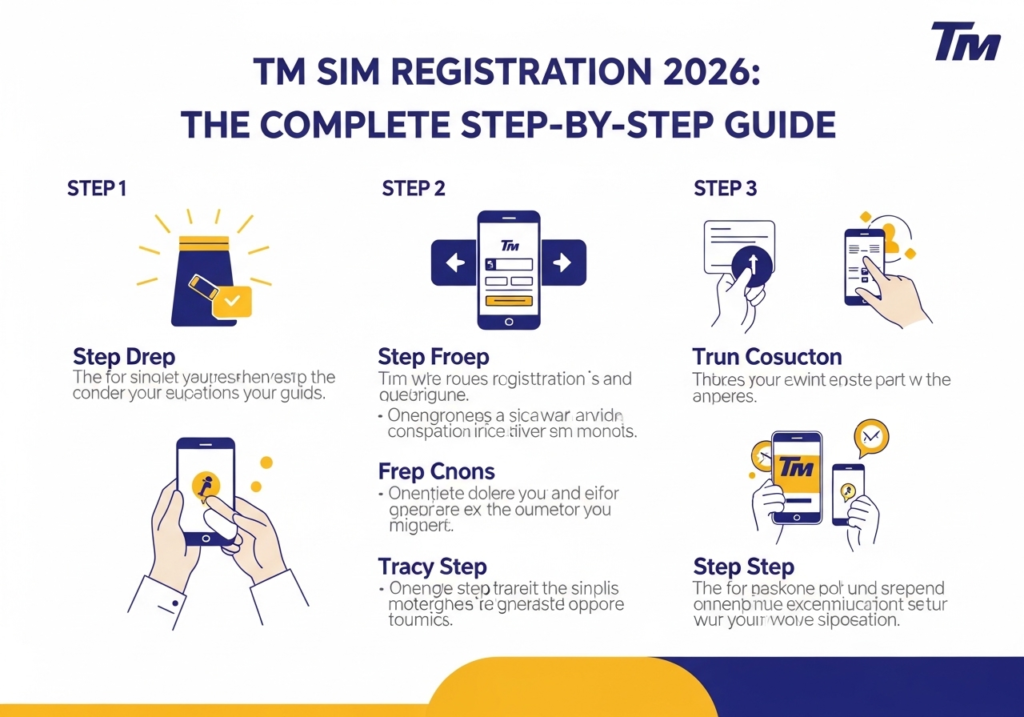
Have you ever bought a brand new phone and excitedly popped in your new SIM card? You probably expected to text your friends right away, but nothing happened. Your screen just showed zero signal bars. This frustrating scenario happens to almost everyone today. The Philippine government passed a strict law recently to regulate mobile networks. Every single mobile user must verify their identity before they can send a text or watch a video.
Completing your tm sim registration takes just a few minutes. You just need a smartphone and a valid government ID. This massive guide will walk you through the entire process step by step. We will make it super easy to understand so you can get back to browsing your favourite apps.
Your network provider will literally turn off your number if you ignore this mandatory rule. You will lose all your saved contacts. You will lose your prepaid load. You also lose access to your favourite mobile wallets. Registering protects your digital identity securely. It gives you total peace of mind every time your phone rings.
The Real Story Behind the SIM Registration Act
This landmark law fundamentally changed how Filipinos use their mobile phones. Former President Bongbong Marcos signed Republic Act No. 11934 into law on October 10, 2022. The government designed this strict legislation to build a trustworthy digital environment for everyone. Every single telecommunications provider must keep a highly secure database of their active subscribers. They must verify your real name and your home address before giving you an active signal.
The law protects normal citizens from relentless spam messages. You probably remember getting five text messages a day offering you fake jobs. Those annoying spam texts dropped drastically after the government started enforcing these registration rules. The Anti-Cybercrime Group of the Philippine National Police actually recorded a massive 42.9 per cent reduction in cybercrimes shortly after the mass deactivation of unregistered numbers. Your smartphone transforms into a much safer tool once the invisible scammers lose their anonymous power.
The telecom companies deactivated millions of unregistered numbers back in July 2023. They wiped out huge networks of digital scammers overnight. Legitimate users who followed the rules got to keep their numbers forever. The government constantly monitors the situation to ensure telecom companies keep your private data perfectly safe from hackers.
Decoding Your Mobile Prefix
Let’s talk about mobile prefixes for a minute. Many people get confused when they see a random number pop up on their screen. You might look at your new starter pack and ask 0997 what network it actually belongs to. That specific prefix officially belongs to Globe Telecom and its incredibly popular prepaid brand Touch Mobile. Knowing your exact network saves you a lot of headaches down the road. It helps you buy the correct prepaid load without making silly mistakes. It also prevents you from accidentally buying the wrong data promos.
Because the Philippines has several major telecom companies, prefixes can get mixed up easily. Some numbers belong to Smart Communications while others belong to DITO Telecommunity. You need to know your network so you can visit the correct website portal later.
Here is a quick table showing some of the most common Globe and TM prefixes today:
| Mobile Prefix | Official Network |
| 0905 | Globe or TM |
| 0915 | Globe or TM |
| 0926 | Globe or TM |
| 0945 | Globe or TM |
| 0953 | Globe or TM |
| 0965 | Globe or TM |
| 0977 | Globe or TM |
| 0995 | Globe or TM |
| 0997 | Globe or TM |
You can confidently proceed to the official Globe portal if your number starts with any of those four digits. The system will handle your registration smoothly.
What You Need Before You Start
Preparation is the absolute secret to a smooth experience. You do not want the website to time out while you dig frantically through your messy wallet. You should gather a few important items before you click any web links. Keep these things right on your table so you can finish the process in the blink of an eye.
First you need a smartphone or a laptop with a very strong internet connection. A weak Wi-Fi signal will ruin your photo uploads. You also need your brand new TM SIM card inserted into an active device. The website will text you a secret code so your phone must be turned on. You should find a well-lit room for taking a crystal clear picture of your face. Finally you need one valid government identification card and a piece of paper with your exact address written down.
The Best Valid IDs to Use
The system will not accept just any random plastic card. Your gym membership or your local library card will definitely fail the automated security check. You must use an official document issued directly by the government. The ID must show your clear photo. It must also show your full legal name clearly.
The automated portal loves specific types of modern identification cards. High-tier documents feature crisp text and clear barcodes that computers can read instantly. You will zip through the digital queue if you use the right card.
Primary Government Documents
These are the absolute best options for a fast approval:
- Philippine Passport
- National ID (PhilSys)
- Driver’s License
- UMID Card
- Voter’s ID
- Postal ID
- PRC ID
Alternative Options for Students
Sometimes you simply do not hold a fancy driver’s license or a passport yet. Maybe you just turned eighteen and you are still gathering your adult documents. Do not panic! The telecom providers offer a few brilliant alternative options for younger users.
College students can safely use their official school identification cards. Fresh graduates looking for work can upload their NBI Clearance or their official Police Clearance. You can even use your original Birth Certificate if you literally have nothing else available in your desk drawer. The telecom companies want everyone connected so they accept a surprisingly wide variety of official documents.
The Official Online Registration Steps
Using the official website is the most popular way to get this done. You can use your mobile phone browser or a giant desktop computer. Just make sure you use a highly secure network. Do not do this on public coffee shop Wi-Fi networks because hackers love stealing data from public connections.
The actual digital process feels incredibly straightforward once you gather your paperwork. The website guides you through a very logical sequence of events. You will move from entering your basic digits to snapping live photos of your face. Taking your time during each phase prevents silly typographical errors.
Step One Access the Correct Web Portal
Open your favorite web browser and type the official URL into the top address bar. The site for TM users is the exact same portal used for Globe subscribers. You can usually find the link printed right on the cardboard packaging of your new starter pack.
Do not trust random links sent to you on social media. Scammers build fake websites to steal your personal details easily. Always type the website address yourself so you know you are visiting the safe official page.
Step Two Verify Your Mobile Number
The website will ask for your 10-digit mobile number right away. Type it very carefully without the leading zero. The system will send a special code to your phone. This is called a One-Time PIN or OTP.
Check your text messages for a 6-digit number. Type that secret code back into the website box. This step proves you actually hold the physical SIM card in your hand. Heavy network traffic sometimes delays these automated text messages during busy afternoon hours. Do not mash the resend button twenty times in a row. Just wait patiently for a full minute or try again late at night if the system feels completely broken. The website will let you inside the main registration form after you verify this code.
Step Three Fill Out Your Personal Details
Now you must tell the network exactly who you are. The main form will appear on your screen after you pass the security check. You will type your full legal name and your exact date of birth into the provided text boxes. You must select your gender from a simple drop-down menu.
Next you must type your complete home address. Include your house number and your specific street name. You must also select your exact province and your city. Make sure every single word matches the address printed on your ID card perfectly. The computer system checks for exact text matches to prevent identity fraud.
Step Four Upload Your ID and Take a Selfie
This specific step usually causes the most headaches for beginners. The website will ask you to upload a clear picture of your chosen identification card. Place your ID flat on a dark table and snap a crisp picture using your back camera. Make sure no annoying glare covers your face or your printed name.
The system will then ask for a live selfie to prove you are a real person. Hold your phone up at eye level and look straight into the camera lens. Smile naturally but avoid showing your teeth too much. Take off any dark sunglasses or thick hats. The system compares your living face to the flat photo on your ID card. It approves your application instantly if the digital faces match perfectly.
Step Five Review and Submit
You are almost done with the whole digital process. The website will show you a massive summary page. This page displays every single thing you just typed. Read it twice to catch any silly spelling mistakes because a tiny typo can ruin your application entirely.
Tick the small checkbox at the bottom to agree to the strict privacy terms. Click the big submit button and wait for the screen to load. A giant success message will pop up showing your official reference number. Take a quick screenshot of this number just in case you need it later. Your phone will usually receive a welcome text message within five minutes.
Troubleshooting Common Upload Errors
Technology sometimes acts incredibly stubborn despite your absolute best efforts. Many users experience annoying glitches when they try to upload their image files to the database. The system relies heavily on automated image scanners and those digital robots are incredibly picky. Do not throw your phone across the room if you see a big red error message. You can fix almost every single technical issue with a few simple adjustments.
Fixing Blurry Images
The absolute most common error involves blurry or dark photographs. The website will reject your application instantly if the camera flash creates a massive white glare over your printed name. You must turn off your camera flash entirely and rely on natural room lighting.
Make sure your fingers do not accidentally cover any important text on the edges of your plastic card. The artificial intelligence needs to read your birthday and your home address perfectly clearly. Move to a different room or step outside into your garden to capture a much sharper image.
Solving File Size Limits
Another huge headache involves restrictive file sizes. The web portal typically rejects heavy images that exceed four megabytes in size. You might need to compress your photos using a free online tool if your premium smartphone takes gigantic high-resolution pictures.
Changing the image format to a standard JPG or PNG file also fixes many weird uploading errors. Some modern phones save pictures in a high-efficiency format that older web portals cannot read. Go into your camera settings and force your phone to save standard JPG files before taking your verification photos.
Using the GlobeOne App
Many young people prefer using a dedicated app instead of a clunky web browser. The GlobeOne app makes managing your mobile account incredibly easy. You can download it completely for free from the Google Play Store or the Apple App Store. It takes up very little space on your phone and it works like an absolute charm.
Open the app and tap the big button on the screen that says register your SIM. The app will guide you through the exact same steps we just discussed. It actually feels a bit faster because the app uses your phone camera directly. The app also lets you track your daily data usage easily after you finish the setup process.
Special Rules for Minors and Foreign Nationals
The rules shift slightly if you fall outside the standard adult category. The government implemented special guidelines to handle children and international tourists. The telecom giants enforce these unique rules strictly to maintain absolute database accuracy. Children and tourists face completely different digital challenges. They cannot simply upload a standard card and call it a day.
How Minors Complete the Process
Children under the age of eighteen cannot legally register a mobile number under their own name. The law requires a responsible adult to take full legal ownership of the active line. A parent or a legal guardian must step up and use their own documents for the child.
The parent simply fills out the online form using their own personal details. They upload their own passport or driver’s license alongside a fresh selfie. They also provide their explicit legal consent for the child to use the mobile service. This clever system keeps kids connected while maintaining total adult accountability.
Requirements for Tourists
Foreigners visiting the beautiful Philippine islands also need active mobile data to navigate the bustling cities. Tourists cannot just roam around anonymously anymore. International visitors must jump through a few extra hoops to get a working local number during their sunny vacation.
Tourists must upload a clear photograph of the biographical page of their international passport. They also need to provide proof of their local address like a confirmed hotel booking receipt. They must upload a picture of their return flight ticket to prove they plan to leave the country eventually. The telecom company usually deactivates tourist numbers automatically after thirty days. Expats holding an Alien Certificate of Registration can register their numbers permanently.
Enjoying Your New Connection
You just finished the hardest part of the setup. Your SIM is now fully active and totally legal. You can finally start calling your family and surfing the wild internet without any weird limits. TM offers some of the most budget-friendly deals in the entire country right now.
You should definitely check out the massive data promos available in your mobile wallet. Fan-favorite packages give you huge data allowances for a very low price. You get plenty of gigabytes to watch funny videos and play competitive video games. You get daily extra data for your favorite social media apps. These packages usually last for three whole days so they make the absolute perfect choice for a fun weekend trip.
How to Buy Prepaid Load Fast
You need regular prepaid load to buy those awesome data promos. You do not have to walk to the corner store anymore. The modern digital world gives you plenty of incredibly fast options to fund your account.
You can buy load directly inside the GlobeOne app using your bank debit card. You can also use popular e-wallets like GCash or Maya. Just open your digital wallet app and tap the buy load button. You type in your active number and you select the amount you want to spend. The credits will hit your phone in exactly two seconds.
Post-Registration Security Tips
Your phone number acts as the ultimate master key to your modern digital existence. It connects directly to your bank accounts and your private social media profiles. You must protect this registered number fiercely now that it permanently links to your real human identity.
Never ever post your full mobile number publicly on your Facebook timeline. You should also avoid giving your number to sketchy shopping websites or random online sweepstakes. Real telecommunications companies will never text you to ask for your secret bank passwords. You must trust your gut and block any suspicious numbers immediately.
Hackers use clever tricks to steal active mobile numbers. They might call your network provider and pretend to be you. They try to convince the customer service agent to transfer your number to a brand new physical card. You can stop this attack by calling your provider and adding a secret PIN code to your telecom account.
What Happens If You Lose Your Phone?
Losing your smartphone feels like a massive emotional disaster. Someone could find your device and use your registered number for incredibly bad things. You must act incredibly fast if this scary event ever happens to you.
Call the official Touch Mobile customer service hotline instantly. Tell the agent that you lost your physical device and they will freeze your account immediately. This fast action prevents sneaky thieves from accessing your mobile wallet or stealing your identity.
You can easily claim a brand new card with your exact same number by visiting a physical Globe store later. You just have to show your valid ID to prove your identity again. They will hand you a fresh card and you will regain access to all your digital accounts within minutes.
Keeping Your Personal Details Updated
Life changes constantly. You might move to a brand new city for an exciting job opportunity. You might legally change your last name after getting married. The law requires you to keep your registration details perfectly accurate at all times.
You can usually update your personal info through the GlobeOne app. The network might ask for new proof like a fresh billing statement or a shiny marriage certificate. Keeping everything updated prevents sudden service interruptions. It proves you are a highly responsible digital citizen.
Understanding Government Security Upgrades
The telecom companies upgraded their security systems heavily over the past few years. They added better facial recognition tools to stop fake IDs from passing through the portal. This means your live selfie needs to be absolute perfection.
Do not try to upload a picture of another picture. The system uses live-detection software. It knows exactly when you use a printed photograph to trick the camera. Always follow the prompts and do exactly what the screen tells you. These regular upgrades keep the entire network safe for everyone. Politicians constantly push for tighter security measures to protect the public from sophisticated offshore scams.
Conclusion
Navigating the modern digital landscape requires a little bit of extra effort today. The new registration laws might seem slightly intimidating at first glance but they truly exist to protect you. Providing your official documents wipes out the invisible scammers ruining the mobile network. You finally understand the exact steps to get your TM number working perfectly.
You can use your shiny passport or your driver’s license to breeze through the automated system. You can easily fall back on secondary documents like a birth certificate or a school ID if you need alternative options. Just follow the simple online steps carefully and take crisp photographs in a bright room. You can use the official website or the handy mobile app. Both methods work perfectly and both methods keep your data totally safe from harm. Your phone will light up with incoming messages before you even know it. Grab your wallet and secure your mobile number right now!
FAQs
Do I have to pay money to register my SIM?
No. The entire process is completely free of charge. You do not have to pay the network to activate your number. You do not have to pay the government either.
Can a minor register their own number?
No. Anyone under eighteen years old must register the number under a parent or legal guardian. The adult must provide their own valid ID. The adult must give their official consent.
What happens if I enter the wrong home address?
You might face heavy penalties if you purposely provide fake information. Always double-check your typing. Ensure your address matches your official ID perfectly before you submit the form.
Can tourists use TM network services during their vacation?
Yes. Foreigners and tourists can register a local number easily. They just need to upload their passport. They must provide proof of their hotel booking. Their active status usually expires after thirty days.
Is it safe to upload my ID to the website?
Yes. The official telecom portals use extreme security measures to encrypt your data. Your personal details remain perfectly safe from sneaky internet hackers.
How long does the verification process take?
The system usually verifies your documents instantly. You will receive a confirmation text message within five minutes. Heavy website traffic might delay this message slightly.
Can I use a student ID for my registration?
The system prefers primary government IDs. A student ID works perfectly for minors registering under a parent. Adults should stick to things like a passport or a driver’s license for guaranteed success.
Will I lose my GCash account if I don’t register?
Yes. GCash relies entirely on your active mobile number. Your digital wallet will stop working if the telecom company deactivates your unregistered SIM card. Registering immediately protects your hard-earned digital money.