
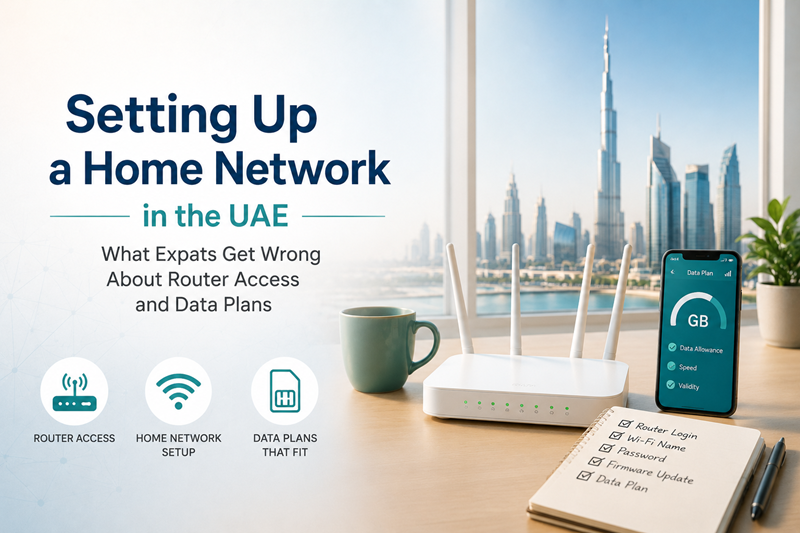
Moving to a new country and setting up home internet sounds like it should be straightforward. In practice, it’s one of those tasks that trips up even tech-comfortable people, mainly because every country’s ISPs configure their hardware slightly differently, and the UAE is no exception. Router admin addresses, default logins, and mobile data packages all follow patterns that are specific to local providers — and assuming they work the same way as wherever you moved from usually leads to unnecessary frustration.
This piece covers two of the most common points of confusion for anyone setting up connectivity in the UAE — accessing your router’s admin panel, and picking the right data package once your line is active.
Router Admin Access — Why It’s Not Always the Address You Expect
Most people who’ve set up a home router before are used to typing something like 192.168.1.1 or 192.168.0.1 into a browser to reach the admin panel. In the UAE, particularly with du-supplied routers, that assumption doesn’t always hold. Certain du-branded units — including some ZLT models commonly issued to home and small office customers — use 192.168.70.1 as their default gateway instead of the more commonly seen addresses.
This isn’t a case of one address being universally correct. Router firmware and hardware models vary even within a single provider’s lineup, and the only reliable way to know the actual address for your specific setup is to check what your device reports as its Default Gateway, rather than relying on a general guide or a number a friend gave you for their own router.
For anyone dealing with a router that won’t respond at the address they expected, the process for checking the real gateway differs slightly by operating system — Windows users can run ipconfig in Command Prompt, Mac users can check System Settings under Network, and mobile users can find it under their Wi-Fi connection details. Once the correct address is confirmed, logging in typically just requires the admin credentials printed on a sticker on the router itself.
A detailed walkthrough of this exact scenario — including what to do when the browser shows a certificate warning, why typing the address in a search bar instead of the address bar causes failures, and how to reset the router if the admin login has been forgotten — is covered in the 192.168.70.1 login guide, which is specifically written around du’s router behavior in the UAE rather than generic router advice that doesn’t account for local ISP quirks.
The Most Common Mistake — Typos That Look Identical
One detail worth flagging specifically because it causes more failed login attempts than almost anything else: people frequently mistype the address itself. Typing a lowercase L instead of the digit 1, or forgetting the colon in the protocol prefix, produces an address that looks correct at a glance but will never load. This is a small thing, but it’s genuinely one of the more common reasons someone concludes their router is broken when the actual issue is a single mistyped character.
The fix is simply to type the address carefully directly into the browser’s address bar — not a search engine’s search box — and to double check for the colon and forward slashes before pressing enter.
Once You’re Online — Choosing the Right Data Package
With the router configured, the next practical step for most residents is sorting out a mobile data plan, particularly important for anyone who needs connectivity outside the home or as a backup during any home internet downtime.
du offers a range of prepaid data packages structured around different usage patterns, and the pricing tiers can be genuinely confusing for anyone new to the market since options are frequently updated and marketed under slightly different names depending on where you’re looking.
One of the more commonly selected mid-tier options is the du monthly data package 50 AED, which provides 28GB of data valid for 28 days — a package that tends to suit moderate users who stream occasionally, use maps and messaging apps regularly, but aren’t running heavy daily video calls or large downloads. Understanding exactly what’s included, how the package activates, and how it compares to du’s other data tiers helps avoid paying for more or less capacity than actually needed.
For residents who go through data quickly due to remote work, video calls, or heavy streaming, checking the full range of du’s data packages before committing to one specific plan is worth the ten minutes it takes, since the difference between tiers can be substantial both in price and in what happens once the allotted data is used up.
Why Getting Both Right Matters More Than It Seems
Router access and data plan selection might seem like two unrelated administrative tasks, but they sit at the foundation of reliable connectivity for anyone settling into life in the UAE. A router that’s still running default settings — including a factory Wi-Fi password anyone nearby could look up online — represents a real security gap that most people don’t think about until something goes wrong. And a data plan mismatched to actual usage either wastes money on unused capacity or leaves residents scrambling for a top-up mid-month.
Both problems are entirely avoidable with the right information upfront, and both are common enough among new arrivals that having a clear, UAE-specific reference for each saves considerable trial and error compared to piecing together generic international guides that don’t account for how local ISPs actually configure things.
For anyone currently setting up a new home connection in the UAE, working through router access first — confirming the actual gateway, changing default credentials, and securing the Wi-Fi properly — before moving on to picking the right data package, is the order that tends to prevent the most headaches down the line.