
Pinterest is more than a place to save images. For brands, agencies, and research teams, it can reveal what people are discovering, saving, and planning before those interests become obvious on other platforms.
A Pinterest API workflow helps turn Pins, boards, account activity, and trend signals into structured information. Businesses can then use that information to find content opportunities, compare creative themes, and make better decisions about what to publish next.
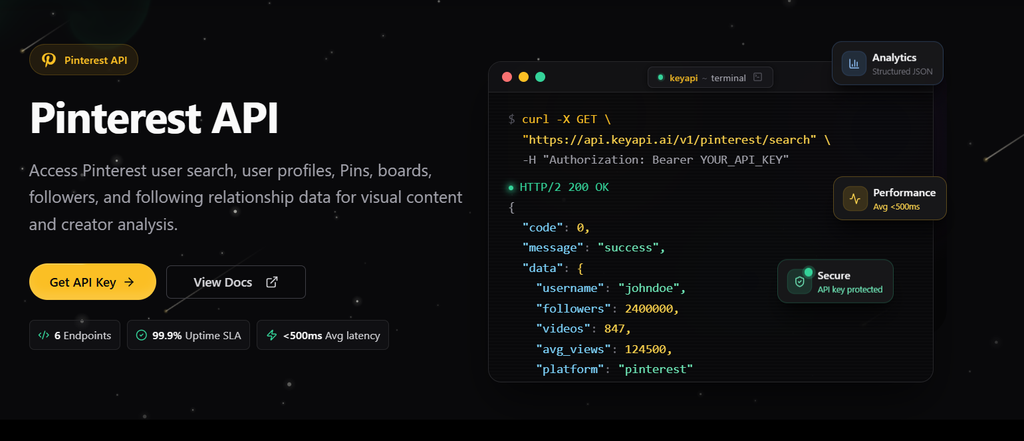
If you are comparing tools for collecting structured social data, a Pinterest API data solution can help reduce the technical work involved in building the entire workflow from scratch.
Why Pinterest Data Is Useful for Content Research
Traditional content research often starts with competitor websites, keyword tools, or social media engagement. Pinterest adds another useful signal: what users are actively saving and organizing around a topic.
That behavior can reveal:
- Product ideas
- Seasonal interests
- Visual design patterns
- Common lifestyle themes
- Content gaps
- Emerging search topics
- Popular categories
- Repeated audience questions
A topic may receive little attention on another social network but still show strong interest on Pinterest. This makes Pinterest useful for businesses that need ideas before creating blog posts, product pages, campaigns, or video content.
What Can a Pinterest API Workflow Collect?
The available data depends on the API access level, endpoint, and permissions connected to the application.
Pin Data
Pin information can help a team understand which content is being saved and how it is organized.
Depending on the endpoint, a workflow may work with:
- Pin ID
- Pin title
- Pin description
- Pin URL
- Destination link
- Media type
- Board information
- Creator information
- Creation date
- Engagement-related fields
This information can be stored in a database and grouped by topic, product, campaign, or content format.
Board Data
Boards provide context around a Pin. A single image is not always meaningful by itself, but its board name and description can reveal how users understand the topic.
For example, the same product image may appear in boards related to:
- Home renovation
- Small apartment design
- Wedding planning
- Travel inspiration
- Gift ideas
- Seasonal recipes
Board-level context helps content teams understand the audience’s intent instead of looking only at the image.
Trend Data
Pinterest trend data can help identify keywords that are growing in a specific region or audience group.
The Pinterest Trends API can return trending keywords for selected filters and includes week-over-week, month-over-month, and year-over-year growth values. However, Pinterest notes that the API has a limited scope and currently returns trend data for the present date rather than a complete historical archive. See the official Pinterest Trends documentation.
This means trend data works best as an early signal, not as a complete replacement for long-term search-volume research.
Three Practical Ways Businesses Use Pinterest API Data
1. Find New Content Ideas
A content team can collect Pins and boards around a subject such as outdoor kitchens, skincare, home offices, or travel.
The team can then group the results by:
- Repeated words in titles
- Common visual styles
- Popular product categories
- Frequently used board names
- Seasonal changes
- Destination page types
If the same topic appears across many boards with different wording, it may be worth creating several pieces of content instead of one general article.
2. Compare Competitor Content
A brand can monitor public competitor content to understand how similar businesses present products and ideas.
Useful comparisons may include:
- Publishing frequency
- Image formats
- Product categories
- Landing-page destinations
- Seasonal campaigns
- Repeated calls to action
- Content themes that receive continued attention
The goal is not to copy competitors. The goal is to identify what the market already covers and where your brand can offer a more useful or different angle.
3. Connect Trends to Products
Retail and ecommerce teams can use trend signals to connect audience interests with products or collections.
For example, a team might:
- Identify a growing topic.
- Find related Pins and boards.
- Match the topic to existing products.
- Create a content brief.
- Publish Pins that lead to relevant landing pages.
- Compare traffic and engagement over time.
This creates a clearer connection between trend research and business results.
How to Build a Pinterest API Content Research Workflow
A useful workflow does not need to collect every available record. It needs to collect the right records consistently.
Step 1: Define the Research Question
Start with a question that the data can actually answer.
Good examples include:
- Which home-office themes are becoming more common?
- What visual styles appear around a product category?
- Which seasonal topics are growing in the United States?
- What types of Pins send users to ecommerce pages?
- Which competitor categories receive the most attention?
A clear question determines which endpoints and fields are necessary.
Step 2: Choose the Search Terms
Create a small keyword group instead of relying on one phrase.
For a travel brand, the group might include:
- Weekend travel
- Beach vacation
- Family travel
- Budget travel
- Travel packing
Track related terms separately so you can see which topics grow and which ones remain stable.
Step 3: Collect the Core Records
Start with the smallest useful set of data:
- Pin ID
- Title
- Description
- Board
- Link
- Media type
- Date
- Account or creator
Request additional information only when it supports the research question. Smaller responses are easier to process, store, and debug.
Step 4: Save Stable IDs
Store Pin IDs, board IDs, and account IDs in your database.
Stable identifiers help your application:
- Avoid duplicate records
- Update existing entries
- Compare the same content over time
- Connect Pins with boards
- Track changes to a record
Do not identify records only by title. Titles can change, while IDs are designed to identify the underlying resource.
Step 5: Normalize the Data
Raw API responses are not always ideal for reporting. Convert them into a consistent structure.
A simple research table might contain:
pin_id
board_id
account_id
keyword_group
title
description
destination_url
media_type
published_at
collected_at
You can later add fields for trend growth, category, campaign, or product association.
Step 6: Build a Useful Report
A report should help the team make a decision.
Useful report sections may include:
- Fast-growing topics
- Most common board themes
- Product-related Pins
- Seasonal keyword changes
- Competitor content patterns
- Repeated destination categories
- New topics that are not covered on your website
Avoid creating a dashboard full of numbers that nobody uses. The report should answer what the team should create, update, test, or stop doing.
Pinterest API Access and Authentication
Pinterest API integrations require an application and an access token. Developers normally connect an app, request the necessary permissions, and use the token in API requests.
A simple request may look like this:
GET https://api.pinterest.com/v5/pins
Authorization: Bearer YOUR_ACCESS_TOKEN
Content-Type: application/json
Pinterest’s official documentation recommends completing the app connection and creating a valid access token before testing a request. Review the official Pinterest API request guide.
Keep access tokens on the server and avoid placing them in public frontend code. If your application handles content creation or board management, request only the scopes needed for that operation.
Pinterest API Data vs. Manual Research
Manual research is still useful for understanding creative quality and user context. However, it becomes difficult to maintain when a team needs to monitor many keywords, accounts, boards, or regions.
Manual Research Works Well For
- Reviewing visual quality
- Studying individual campaigns
- Understanding a new niche
- Creating a small initial sample
- Checking whether API results match real content
API-Based Research Works Well For
- Repeated searches
- Scheduled monitoring
- Large datasets
- Historical storage
- Cross-category comparisons
- Automated reporting
The strongest workflow often combines both. Use the API to find patterns at scale, then review a smaller set of Pins manually before making a content decision.
Common Mistakes to Avoid
Collecting Every Field
More data does not always mean better research. Extra fields increase processing and storage requirements without improving the final decision.
Ignoring Regional Differences
Pinterest interests can vary by market. A trend in the United States may not have the same level of interest in the United Kingdom or Australia.
Always record the region used in the request and keep regional reports separate.
Treating Trends as Guaranteed Demand
A growing trend is a signal, not a guaranteed sales opportunity. Confirm that the topic fits your audience, products, and content capabilities before investing resources.
Forgetting Duplicate Detection
Scheduled collection can repeatedly find the same Pin. Use stable IDs and unique database keys to avoid counting the same record several times.
Building a Report Without an Action
Every report should lead to a possible action, such as creating a new article, testing a product collection, updating an old page, or changing a campaign theme.
When a Managed Pinterest API Tool Makes Sense
The official Pinterest API is useful when your team wants direct control over authentication, endpoints, storage, and application behavior.
A managed provider may be more practical when you need:
- Faster integration
- Structured responses
- Scheduled data collection
- Less API maintenance
- Multiple social data sources
- A simpler reporting workflow
Before choosing a provider, test a real keyword group instead of relying only on a feature page. Check the response format, available fields, pagination, update frequency, errors, and usage limits.
For teams researching several platforms at once, a unified social media data workflow may also reduce the need to maintain separate collection systems.
Final Takeaway
Pinterest API data is most valuable when it connects audience behavior with a specific content or business decision. Use it to discover topics, compare creative patterns, monitor trends, and connect popular ideas with products or landing pages.
Start with one research question, a small group of keywords, and a limited set of fields. Once the results are consistent, expand the workflow into scheduled monitoring, competitor analysis, and broader social data reporting.
For teams that want to test a structured Pinterest data workflow without building every collection layer internally, KeyAPI provides a practical starting point.