
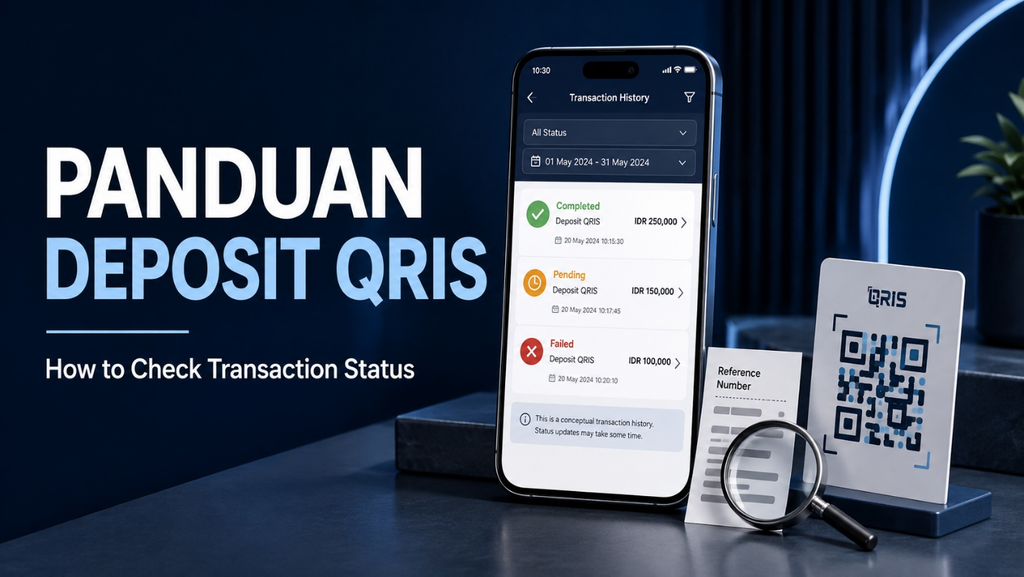
A panduan deposit qris should explain what happens after a payment is submitted, especially when the result is unclear. A confirmation screen, a reduced wallet balance, and an updated receiving account are related pieces of information, but they do not always appear together. Understanding which record to check can prevent confusion and unnecessary repeat payments.
Checking transaction status begins with the banking or e-wallet application used to authorize the payment. From there, the amount, merchant name, timestamp, and reference number can help establish what happened. If the receiving service shows something different, those details support a clearer investigation.
This guide explains common payment statuses, how to compare transaction records, and what to do when a payment remains unresolved.
Understand What Transaction Status Means
Transaction status describes the payment’s current position within the system displaying it. Depending on the application, a transaction might appear as successful, pending, processing, failed, cancelled, or refunded.
These labels should be interpreted within the provider’s own documentation. Different applications may use slightly different wording or combine several processing stages under one label.
QRIS is a standardized payment framework, but it does not create identical interfaces or support procedures across every participating application.
A useful panduan deposit qris therefore starts with the actual transaction record rather than assumptions based on a notification, loading screen, or account balance alone.
Begin With the Application Used for Payment
Open the banking or e-wallet application that authorized the original transaction. Look for its transaction history, activity, payments, or account statement section.
The exact menu name varies, so avoid assuming every provider follows the same navigation. Find the relevant entry by checking the date, amount, and recipient.
Open the transaction details instead of relying only on the short description in the activity list. The detailed view may contain a status label, reference number, payment time, or available support option.
If several similar payments appear, compare their references carefully. Two transactions with the same amount are not necessarily the same payment.
Read Common Status Labels Carefully
Understanding the main status categories helps determine the appropriate next action.
Successful or completed generally indicates that the payment application considers the transaction successful. If the recipient disagrees, the records still need reconciliation.
Pending or processing indicates that a final result is not yet available in that system. Superbank, for example, explains that an in-process QRIS payment can show this status on both its receipt and transaction-history screens.
Failed or cancelled indicates that the intended payment did not complete as expected in the relevant system. Any associated deduction should still be checked.
Refunded or reversed describes money being returned or an earlier debit being undone. Confirm the corresponding account entry.
Match the Details on the Receipt
A transaction receipt is useful because it brings several identifying details together. Check the payment amount, merchant name, date, time, status, and reference number.
The merchant name deserves particular attention. It should correspond to the intended recipient or have a clear, verifiable explanation if a different business name appears.
The reference number is especially useful when contacting support. Amounts and timestamps can repeat, while a reference helps identify the specific record.
Keep the original receipt available inside the application where possible. A saved image can support an inquiry, but the live transaction record may show an updated status that an earlier screenshot does not contain.
Separate Payment Status From Account Credit
A successful payment and an updated balance on a receiving website are separate observations. The payment application records the transaction, while the receiving service may maintain its own account-crediting process.
If the application shows success but the receiving balance has not changed, establish whether the recipient can locate the payment in its own records.
GoPay’s merchant guidance advises checking transaction history and status when a customer reports a successful QRIS payment that the merchant has not received. It also recommends collecting the payment evidence for reporting.
The discrepancy needs investigation; it should not automatically be interpreted as a reason to send the same payment again.
What to Do When a Transaction Is Pending
When a transaction remains pending, check the provider’s explanation for that status and any stated resolution period. There is no single waiting time that should be assumed for every QRIS application.
Confirm that the device has a working connection, then reopen the transaction record to see whether its status has changed. Avoid repeatedly submitting new payments while the original result remains uncertain.
Record the reference number and submission time. If the transaction stays unresolved beyond the provider’s stated period, contact its support channel with those details.
A careful panduan deposit qris prioritizes establishing the first payment’s outcome before considering any additional transaction.
What to Do When Money Is Deducted but Payment Fails
A failed status alongside a balance deduction requires closer inspection. Check whether the application shows a separate reversal, refund, adjustment, or temporary entry connected to the payment.
Compare the transaction history with the available balance rather than relying on memory. Other recent payments or charges can make a balance change difficult to interpret.
If the deduction remains unexplained, ask the payment provider to trace the transaction using its reference number. Request clarification about the status and any applicable return process.
Do not assume that a refund has occurred merely because the payment failed. Likewise, do not assume the deduction is permanent without checking the provider’s records.
Avoid Confusing Notifications With Final Records
Notifications help draw attention to an event, but they should not be the only evidence used to determine its outcome. A notification may be missed, delayed, dismissed, or hidden by device settings.
The transaction-history entry provides a more useful place to inspect the payment and follow later updates.
This distinction applies to both customers and merchants. The absence of an alert does not, by itself, explain whether the payment succeeded.
When discussing a discrepancy, refer to the status shown in the relevant account records. Describing only whether a sound played or a message appeared can leave the actual payment status unresolved.
Keep Payment, Crediting, and Settlement Separate
Payment confirmation, customer account crediting, and merchant settlement describe different events.
Payment confirmation concerns the transaction initiated by the customer. Account crediting concerns how a receiving service reflects that transaction in its own records. Settlement concerns the movement or availability of funds on the merchant’s side.
A customer usually cannot determine every stage by looking at one screen. This is why a merchant’s delayed settlement should not automatically be treated as proof that the customer never paid.
When requesting assistance, describe the specific issue: the payment application shows success, the recipient cannot locate the transaction, or the receiving account has not been credited.
Contact Support With a Complete Description
A clear support request helps reduce repeated questions. Include the payment date, approximate time, amount, merchant name, transaction reference, and current status.
Explain the discrepancy directly. For example, state that the payment application shows completion while the recipient reports no matching entry.
Attach the relevant receipt if the official support process allows it. Hide unrelated personal or financial information that is unnecessary for investigating the payment.
Ask for a case number and the expected next update. Keep later communication connected to that case where possible.
Never provide passwords, payment PINs, or one-time authentication codes to someone claiming they are needed to trace a transaction.
Frequently Asked Questions
How can I check a QRIS transaction without a notification?
Open the payment application and inspect its transaction history. Match the amount, recipient, and time, then open the detailed record. A missing notification does not independently establish that the payment failed.
Should I pay again when the recipient says nothing arrived?
First establish the original transaction’s outcome. Compare the payment receipt with the recipient’s records and contact the relevant provider if they conflict. Paying again while the first transaction remains unresolved can create duplicate payments.
Does a successful status mean a website balance must update immediately?
Not necessarily. The receiving service may have a separate crediting process. If its balance remains unchanged, ask it to locate the payment using the reference number and investigate any discrepancy.
How long should a pending transaction take?
Check the payment provider’s current guidance. Processing and investigation periods differ, so a universal promise would be misleading. Follow up when the provider’s stated period passes or when its instructions advise contacting support.
What if the merchant name looks unfamiliar?
Do not ignore the mismatch. Check whether there is a legitimate explanation connecting the displayed business to the intended recipient. If the transaction has already occurred, report the concern through the payment provider’s official support channel.
Conclusion
A practical panduan deposit qris starts with reliable transaction records. Check the original payment application, read the status carefully, and match the amount, recipient, timestamp, and reference number.
When systems disagree, separate the payment result from the receiving service’s account credit and merchant settlement. Preserve the relevant evidence and ask the responsible provider to investigate the specific discrepancy.
The most useful habit is to resolve uncertainty before sending another payment. Clear records and focused support communication make it easier to understand whether a transaction completed, remains pending, failed, or resulted in a return of funds.