
The marketing for any modern AI Video Generator often follows a predictable script: a text prompt is entered, a loading bar crawls across the screen, and moments later, a cinematic masterpiece emerges. For the casual user, this is a miracle. For the professional creator or marketer, this is the beginning of a complex logistical headache.
Transitioning from “playing with AI” to “integrating AI into a production pipeline” reveals a series of frictions that are rarely discussed in product demos. It is one thing to generate a single, beautiful four-second clip; it is quite another to build a repeatable workflow that produces consistent, high-quality video assets on a schedule. As we move deeper into the era of generative media, the evaluation criteria for these tools must shift from “how good is the output?” to “how well does this fit into a professional environment?”
The Consistency Trap and Temporal Drift
The most significant friction point in any generative video workflow is consistency. In traditional filmmaking, you have control over lighting, wardrobe, and actor movements. When using an AI Video Generator, you are essentially negotiating with a probabilistic model.
Even with advanced prompt engineering, maintaining character or environmental consistency across multiple shots remains a grueling task. A character might have a beard in shot one and be clean-shaven by shot four. The “temporal drift”—the tendency for details to morph as the video progresses—can break the immersion of a narrative or a brand message.
While some tools are introducing “character references” and “seed locking,” these features are often in their infancy. It is important to reset expectations here: we are not yet at the point where an AI can perfectly maintain 1:1 pixel consistency across a three-minute sequence without significant manual intervention or heavy post-production masking. For teams evaluating these tools, the focus should be on how much “fixing” is required after the generation is complete.
The Latency of Iteration
In a traditional creative workflow, the feedback loop is nearly instantaneous. An editor moves a clip on a timeline, or a motion designer adjusts a keyframe, and the result is visible immediately. Generative video introduces a “render-heavy” latency that disrupts this creative flow.
If every iteration takes two to five minutes of inference time, a creative session that requires fifty iterations can easily stretch into a full day of waiting. This latency creates a psychological barrier to experimentation. When the “cost” of a mistake is five minutes of waiting, creators become more conservative with their prompts, which often leads to generic, “safe” outputs.
Evaluating an AI Video Generator requires a hard look at the speed-to-output ratio. High-fidelity models are impressive, but if they cannot provide quick “previews” or low-resolution drafts, they may be unusable for fast-paced marketing teams. The friction isn’t just in the generation time; it’s in the dead air between the idea and the visual confirmation of that idea.
Navigating Model Fragmentation
We are currently in a period of extreme fragmentation. One model might be excellent at photorealistic human movement, while another excels at stylized animation or fluid transitions. No single engine—be it Kling, Sora, or Runway—holds a monopoly on every aesthetic or technical requirement.
For a creator, this means managing a dozen different subscriptions and learning the nuances of a dozen different prompting languages. The friction here is cognitive load. Each model has its own “temperament.” Some require highly technical, descriptive prompts; others respond better to abstract, emotive language.
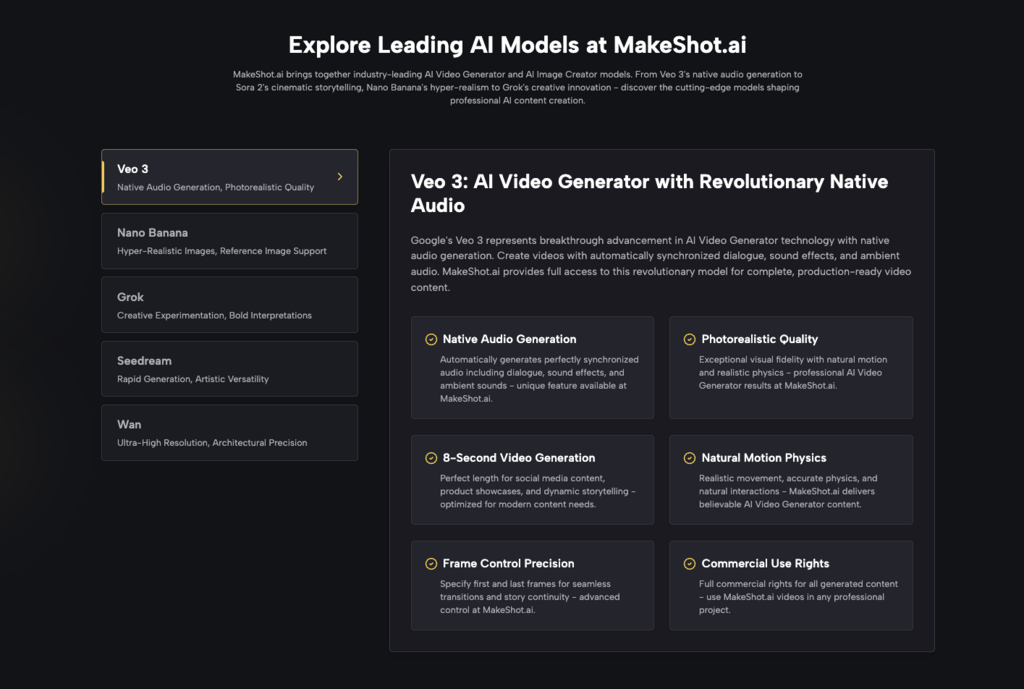
This is where multi-model platforms like MakeShot begin to show their value. By unifying diverse engines like Veo 3, Kling, and Nano Banana under a single interface, they reduce the friction of tool-switching. However, even with a unified interface, the creator still bears the burden of knowing which model to deploy for a specific task. Evaluation should focus on the platform’s ability to simplify this choice through clear UI markers or specialized presets.
The Logic of the “In-Between” Frames
Generative video models do not “understand” physics; they predict the next most likely pixel. This leads to a specific type of friction: the breakdown of logic in complex movements. A hand might pass through a table, or a liquid might defy gravity in a way that feels “uncanny” rather than cinematic.
Currently, an AI Video Generator is most successful when used for “low-action” shots—landscapes, slow pans, or portraits with minimal movement. As soon as you require precise choreography, such as a person tying their shoelaces or a complex mechanical interaction, the failure rate spikes.
Users must evaluate tools based on their specific use case. If your workflow requires high-action sequences, you must account for a high “discard rate.” You might need to generate ten versions of a clip to get one where the physics don’t break. This “hidden” cost of discarded tokens or credits is a vital part of the budget that many teams overlook until they are halfway through a project.
Workflow Integration: Beyond the Browser
Most generative tools live in a browser-based silo. The friction occurs when you try to move those assets into professional editing suites like Premiere Pro or DaVinci Resolve. Metadata, color space consistency, and aspect ratio flexibility are often treated as afterthoughts by AI developers.
A professional AI Video Generator workflow needs to account for the “hand-off.” Does the tool export in a codec that allows for further grading? Does it offer upscaling that doesn’t introduce unwanted artifacts?
In the current landscape, many creators find themselves in a “workflow loop” where they generate an image in one tool, animate it in another, upscale it in a third, and finally edit it in a fourth. Each step in this chain introduces a chance for quality degradation or technical error. Simplifying this chain—ideally by using a platform that handles the transition from image generation to video generation seamlessly—is the only way to make the process commercially viable.
The Reality of “Prompt Fatigue”
There is a growing realization among power users that “prompting” is a labor-intensive activity. The “magic” of typing a few words wears off when you have to do it 400 times a week to keep up with social media content demands.
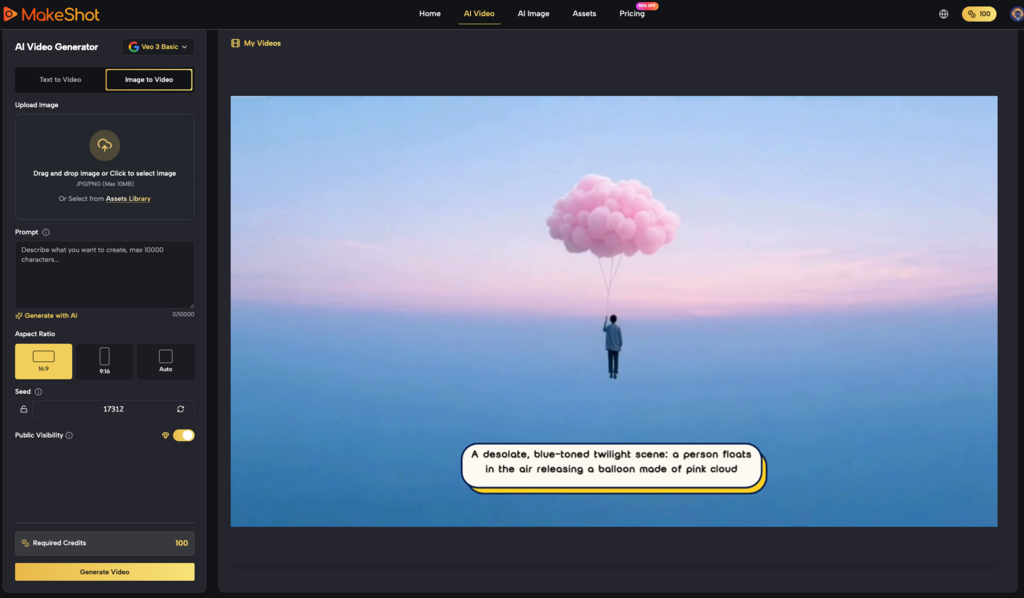
The evaluation of a tool should include its “prompt assistance” or “workflow automation” capabilities. Does the tool help you refine your ideas, or does it leave you staring at a blank text box? Platforms that offer “explore” sections or pre-built styles—like those seen on the MakeShot dashboard—act as a necessary friction reducer. They provide a starting point that eliminates the “cold start” problem of creative production.
Evaluation Criteria for Teams and Agencies
When a marketing team or a creative agency looks to adopt an AI Video Generator, they should look past the headline features. Instead, they should ask the following questions:
- Multi-Model Versatility: Can we switch between different AI “engines” without changing platforms?
- Output Reliability: What is the average “usable” clip rate for a standard brand prompt?
- Cost Transparency: Does the pricing model account for the inevitable discards and iterations?
- Interface Cohesion: Does the image generator speak to the video generator, or are they separate islands?
It is also wise to remain cautious about long-term platform stability. The AI field moves so fast that a tool which is an industry leader on Tuesday can be obsolete by Friday. This uncertainty is a friction point in itself. Investing too heavily in a single, proprietary model’s workflow can lead to technical debt. A more practical approach is to use platforms that aggregate the best-of-breed models, allowing the user to pivot as the technology evolves.
The Future of Production Friction
The “frictionless” AI video pipeline is still a myth, but the gap is closing. We are moving away from a time when we were simply impressed that the AI could make a video at all. We are now entering the stage of “production rigor.”
The goal for any creator using an AI Video Generator today is not just to generate content, but to build a system where the AI acts as a reliable extension of their creative intent. This requires an honest assessment of current limitations. We must accept that AI is currently a “probabilistic partner” rather than a “deterministic tool.”
When you evaluate your next tool, look for the one that doesn’t just promise magic, but instead provides the controls, the model variety, and the structural reliability to handle the messy, iterative reality of professional creative work. The value isn’t in the pixels themselves; it’s in the time saved and the friction removed from the path between an idea and its visual execution.