
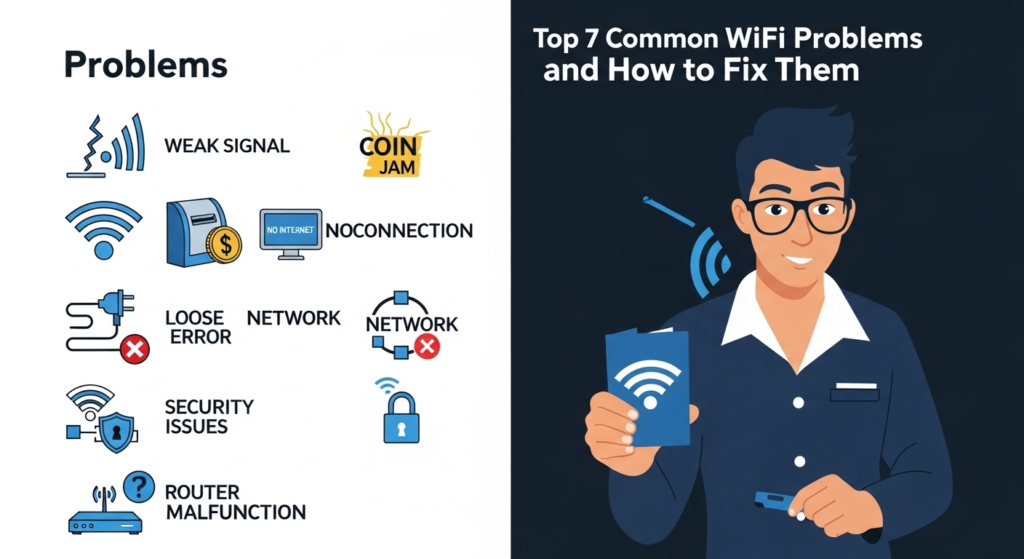
Piso WiFi is a popular way to earn income while providing internet access to the public. Many small business owners use it in stores, streets, and neighborhoods. However, running a Piso WiFi network is not always easy. Users often complain about slow speed, connection errors, or login problems. In many cases, these issues can be fixed by checking settings like 10.0.0.0.1 piso wifi time, which helps manage user access and session control. This article explains the top 7 most common Piso WiFi problems and shows simple ways to fix them using easy language anyone can understand.
Problem 1: Slow Internet Speed
Slow internet is the most common problem in Piso WiFi networks. Users expect fast browsing, but when the connection is slow, they feel unhappy and may stop using the service.
One main reason for slow speed is too many users connected at the same time. When many people use one internet line, the speed is shared. Another reason is a low-speed internet plan. Old routers and weak signals can also cause slow performance.
How to Fix Slow Internet Speed
Start by checking your internet plan. Make sure it is strong enough for the number of users you have. If your Piso WiFi is in a busy place, you may need higher bandwidth. Next, limit the number of connected users so everyone gets fair speed.
You should also set speed limits per user. This stops one person from using all the bandwidth. Place your router in a central location and avoid walls or metal objects. These simple steps can greatly improve speed.
Problem 2: Users Get Disconnected Often
Another common issue is frequent disconnection. Users may suddenly lose internet even when their time is not finished. This creates frustration and complaints.
Disconnections usually happen because of weak WiFi signals, router overheating, or unstable internet service. Poor-quality cables and old equipment also cause connection drops.
How to Fix Disconnection Problems
First, check your router placement. Make sure it is in an open area with good airflow. Overheating routers often disconnect users. Restart your router regularly to refresh the system.
Replace damaged Ethernet cables with high-quality ones. If your area is large, use WiFi extenders to improve signal strength. A strong and stable signal reduces disconnections.
Problem 3: Piso WiFi Login Page Not Loading
Sometimes users cannot see the Piso WiFi login page after connecting. This problem stops them from accessing the internet even after inserting coins.
This issue usually happens because of wrong router settings, DNS problems, or browser cache errors. It can also occur when the router firmware is outdated.
How to Fix Login Page Issues
Clear the browser cache on the user device and try again. Restart the router to refresh the network. Check your router settings and make sure the captive portal is enabled.
Updating the router firmware can also fix this problem. Always keep your router software up to date to avoid login page errors.
Problem 4: Coins Inserted but No Internet Time Added
This is one of the most serious problems for Piso WiFi owners. Users insert coins, but the system does not add internet time. This leads to trust issues and lost customers.
This problem is often caused by coin slot sensor errors, wiring issues, or software glitches. Dust and dirt inside the coin slot can also stop proper detection.
How to Fix Coin Slot Problems
Clean the coin slot regularly to remove dust and debris. Check the wiring connections and make sure they are secure. Test the coin slot with different coins to ensure proper reading.
If the problem continues, restart the system and check the software settings. In some cases, replacing the coin slot sensor is necessary.
Problem 5: Unauthorized Users Accessing the Network
Unauthorized users can connect to your Piso WiFi and use internet without paying. This reduces speed and affects paying customers.
This problem happens when security settings are weak. Open admin access, simple passwords, and unlocked router pages invite abuse.
How to Fix Security Issues
Secure your router admin page with a strong password. Change default login details and disable remote access if not needed. Make sure only paying users can access the internet.
Regularly monitor connected devices. Remove unknown users from the network. Strong security keeps your Piso WiFi fast and fair.
Problem 6: Router Freezes or Stops Working
Sometimes the router becomes unresponsive. It may stop giving internet to all users or freeze completely. This problem usually happens after long usage.
Router freezing is often caused by overheating, low memory, or outdated firmware. Cheap routers may struggle with many connections.
How to Fix Router Freezing
Restart the router at least once a week. Place it in a cool area with good airflow. Avoid stacking items on top of it.
Update the router firmware regularly. If freezing happens often, consider upgrading to a better router designed for multiple users.
Problem 7: Weak WiFi Signal in Some Areas
Users far from the router may experience weak signals. They may see low bars or lose connection completely. This affects user satisfaction.
Weak signals are caused by distance, walls, and interference from other devices. One router may not cover a large area.
How to Fix Weak Signal Problems
Use WiFi extenders or additional access points to spread the signal. Place them correctly to avoid dead zones.
Change the WiFi channel to reduce interference from nearby networks. Strong and even coverage improves speed and stability.
Regular Maintenance Is Very Important
Many Piso WiFi problems happen because of poor maintenance. Owners often install the system and forget about it.
Check cables, router status, and coin slots regularly. Restart the system when needed. Small maintenance tasks prevent big problems later.
Monitor Network Usage Daily
Monitoring helps you understand how users consume internet. You can see peak hours and heavy usage patterns.
This information helps you adjust speed limits and user rules. A well-managed network performs better and earns more.
Keep Software and Firmware Updated
Software updates fix bugs and improve performance. Old systems are more likely to fail.
Always check for updates for your router and Piso WiFi software. Updated systems are more stable and secure.
Educate Users with Clear Instructions
Many users do not understand how Piso WiFi works. Simple instructions can reduce complaints.
Display clear rules near the machine. Explain time usage, speed limits, and fair use. Informed users cause fewer problems.
When to Ask for Professional Help
Some problems need expert help. If you cannot fix an issue after checking everything, call a technician.
Professional setup and repair save time and prevent damage. It is a good investment for long-term success.
Final Thoughts
Running a Piso WiFi business comes with challenges, but most problems have simple solutions. From slow speed to login issues and weak signals, knowing the cause makes fixing easier.
By understanding these top 7 common Piso WiFi problems and how to fix them, you can provide better service and keep users happy. Regular maintenance, proper settings, and good equipment are the keys to success. A stable and fast Piso WiFi network builds trust and increases your income over time.