
A Twitter API problem rarely starts with a dramatic outage.
More often, it starts with a small message in a log file that nobody checks until the weekly report is already late. One request returns 401. Another returns 403. A scheduled search job hits 429. A dashboard still loads, but half the numbers are from yesterday. The marketing team thinks the report is fine. The developer knows it is not.
This is why teams working with Twitter/X data should treat API reliability as part of the product, not as a small backend detail. If the first issue is credential-related, this practical guide to Twitter API key troubleshooting is a useful starting point before rebuilding the whole workflow.
The uncomfortable truth is simple: most Twitter API projects work in testing because testing is small. Production is where the real problems show up.
The first successful request does not mean the workflow is ready
A first successful API request feels good. It should.
The app is created. The key is copied. The token works. A few posts come back. Maybe the team even builds a quick dashboard by the end of the day.
But that first request only proves one thing: one credential reached one endpoint once.
It does not prove the same workflow can support 200 tracked accounts, 80 saved searches, daily reporting, alerts, retries, token rotation, or historical storage.
This is where a lot of Twitter/X API projects go wrong. The prototype is treated like a system.
A system needs to answer boring questions:
- What happens when the token expires?
- What happens when the app permission changes?
- What happens when the rate limit is reached?
- What happens when search returns fewer results than expected?
- What happens when yesterday’s job failed but nobody noticed?
- What happens when the client asks why the number changed?
If those questions are not answered, the project is still a demo with nicer clothes.
Credential problems are often misdiagnosed
When a Twitter API request fails, many teams regenerate keys immediately.
Sometimes that works. Often it does not.
The issue may not be the key. It may be the permission level, app access, token type, OAuth flow, endpoint requirement, or plan limitation.
A simple example: reading public data and acting on behalf of a user are not the same job. A bearer token may be enough for one workflow, while another requires user-context authentication. If the wrong credential type is used, creating a new key only creates a new version of the same problem.
That is why the first diagnostic question should not be “Should we regenerate the key?”
It should be: “Is this the correct credential for this endpoint and this action?”
That one question saves a surprising amount of wasted time.
Rate limits hurt most when nobody plans for them
Rate limits do not usually matter in a small test.
They matter when the workflow starts running every day.
A brand monitoring tool may track hundreds of queries. A customer support tool may check replies regularly. A reporting dashboard may refresh multiple accounts every morning. A social listening workflow may collect posts around product names, executive names, competitor names, and campaign hashtags.
Each request looks small. Together, they become a system that can run out of capacity.
A better setup does not wait for a 429 error before reacting. It watches usage as part of the workflow.
At minimum, teams should record:
- Which endpoint was called
- Which job triggered the request
- Which credential was used
- Whether the request succeeded
- Whether the failure was authentication, permission, quota, or server-related
- When the next safe retry should happen
This kind of logging is not glamorous. It is also the difference between “the API is broken” and “the 9 a.m. keyword job used the remaining search capacity before the client report ran.”
Search workflows need their own rules
Twitter/X search is where many teams accidentally build something fragile.
A single keyword test is easy. A real monitoring system is not.
A company may want to track its brand name, product names, competitor names, campaign hashtags, common misspellings, executive mentions, support complaints, and industry topics. Suddenly the system is not running one search. It is running a search operation.
Not every query deserves the same priority.
A product outage keyword should refresh more often than a low-value research term. A live campaign hashtag may need closer monitoring than a competitor keyword that only matters once a week. A client-facing dashboard should not lose capacity because someone added 40 experimental queries without a review.
A practical Twitter data workflow should divide queries into groups:
- Critical: brand risk, outage terms, customer complaints
- Active: campaign terms, tracked creators, product launches
- Routine: competitor monitoring, weekly reporting terms
- Experimental: new keyword ideas and one-off research
This simple split prevents the system from treating every request as equally urgent.
The middle layer is where teams usually save time
Some teams should build directly with the official API. If the use case is small, narrow, and well understood, direct integration is perfectly reasonable.
But once Twitter/X data becomes part of a recurring workflow, the engineering burden changes. The team is no longer just pulling posts. It is maintaining authentication, retry logic, usage tracking, historical snapshots, query rules, and dashboard-ready formatting.
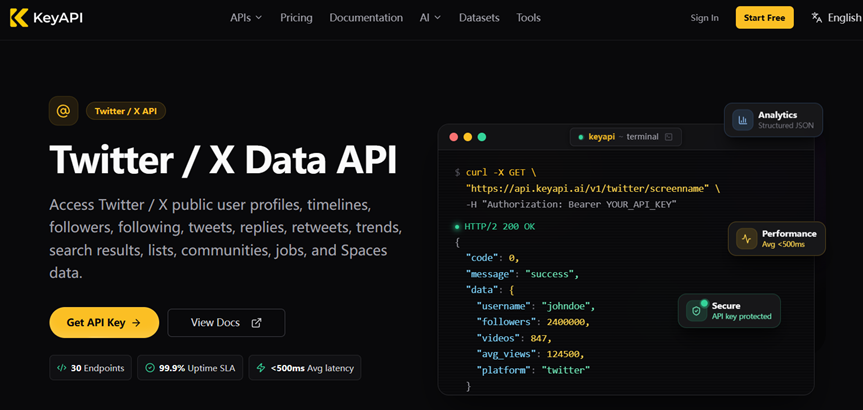
That is where a managed API layer can be useful. For teams that need Twitter/X data as part of a larger reporting or monitoring workflow, KeyAPI’s Twitter API can reduce the amount of custom glue code needed to collect, normalize, and reuse social data.
This is not about avoiding engineering altogether. It is about deciding where engineering time should go.
If the team’s value is in the analytics product, the alert logic, or the customer dashboard, spending weeks on credential edge cases and data cleanup may not be the best use of time.
Live data is not the same as historical data
Another common mistake is building reports from live lookups only.
Live lookups answer: what is the number right now?
Reports usually need a different answer: what changed?
A post’s current engagement number does not show whether it grew slowly, spiked after a mention, or stopped moving after the first hour. A follower count does not show momentum unless yesterday’s number was stored. A keyword mention count does not mean much without a baseline.
That means a serious Twitter/X data workflow needs snapshots.
For example, a brand monitoring report may store:
- Mention count by day
- Top posts by engagement
- Reply volume
- Author information
- Query source
- Collection timestamp
- Change from previous period
A creator or account report may store:
- Follower count
- Following count
- Post volume
- Engagement totals
- Profile changes
- Collection timestamp
Without this history, the dashboard is only showing the present. That is useful, but it is not analysis.
A realistic pre-launch checklist
Before a Twitter/X API project becomes part of business reporting, the team should check the workflow like an operations system.
The checklist should include:
- Are credentials separated between testing and production?
- Is the correct auth method used for each endpoint?
- Are rate-limit responses handled instead of blindly retried?
- Are failed jobs visible to the team?
- Are important metrics stored as snapshots?
- Are low-priority searches separated from critical searches?
- Can the dashboard show when data was last updated?
- Is there a fallback when a data pull fails?
- Does someone own credential rotation and access changes?
- Are reports labeled clearly when data is incomplete?
If the answer to most of these is no, the API is not ready for important reporting yet.
It may still work. It just cannot be trusted.
The real cost is not the API request
The request itself is rarely the expensive part.
The cost shows up in the cleanup.
A failed dashboard before a client call. A weekly report rebuilt by hand. A support team that does not know whether reply data is complete. A marketing team making campaign decisions from stale numbers. A developer spending a morning figuring out whether a problem is caused by credentials, permissions, limits, or a changed query.
This is why Twitter/X API planning should start before the dashboard is built.
The right question is not “Can we pull the data?”
The better question is “Can we keep pulling the right data when people start relying on it?”
Final thought
Twitter/X API projects do not usually fail because the first request is hard.
They fail because the first request is easy enough to make the team underestimate everything after it.
A strong workflow treats credentials, rate limits, logs, retries, historical storage, and query priority as part of the system from the beginning. Whether the team builds directly or uses a provider such as KeyAPI, the goal should be the same: make Twitter/X data reliable enough that people can actually use it.
The API response is only the beginning. The workflow is what decides whether the data is worth trusting.