
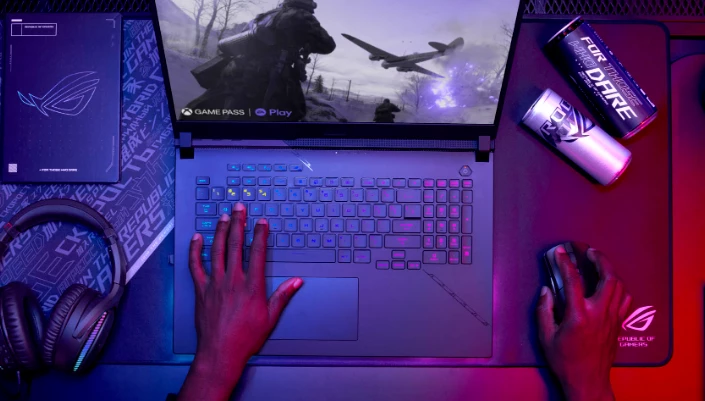
In today’s gaming culture, laptops have become an integral part of the gaming experience. Understanding that optimizing your laptop for gaming can be a crucial factor in significantly improving your gaming experience is essential. In this article, we’ll delve into the intricacies of setting up your laptop for gaming and provide valuable optimization tips to boost its performance, allowing you to fully enjoy your favorite games.
Configuring Your Laptop for Gaming
We’ve compiled some effective methods to help you understand how to enhance your laptop for gaming:
Update Drivers Initiating laptop optimization for gaming can begin with updating drivers. Regularly refreshing your video card drivers is like a breath of fresh air for your gaming laptop. Visit the official website of your video card manufacturer, download, and install the latest driver versions. Don’t forget to do this for other devices, such as your sound card, to ensure maximum performance.
Add RAM
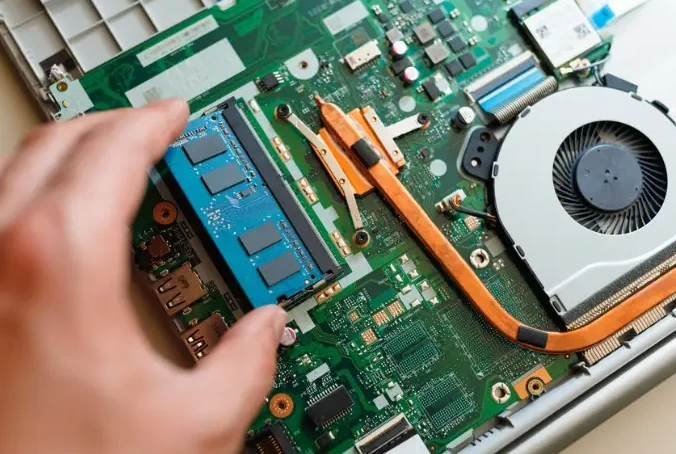
Don’t compromise performance due to insufficient RAM. Install additional RAM modules to ensure your laptop operates at its full potential. This is a crucial step toward a flawless gaming experience.
Clean Up Your Disk
Free your hard drive from clutter and unnecessary files. Utilize powerful tools like CCleaner or the built-in “Disk Cleanup” feature on Windows. Create space for games and speed up system boot times.
Adjust Graphics in Games
Don’t settle for compromises in graphics. In-game graphic settings can dramatically impact your gaming experience. Set optimal parameters, finding the balance between beauty and speed. Don’t forget the option for individual graphic adjustments for each game. You’re the master of the virtual world, and it should conform to your rules.
Protect Your Laptop from Viruses
Viruses on your laptop can hinder performance. Regularly scan your computer with antivirus software and ensure your PC is securely protected. Pay special attention to harmful miner viruses that can overload your video card and processor, affecting in-game frames.
Prioritize Gaming
Forget multitasking when it comes to gaming. Running other programs or games in the background is a path to deteriorating your Laptop’s gaming performance. Reserve system resources for the gaming process and fully enjoy the experience.
SSD for Gaming
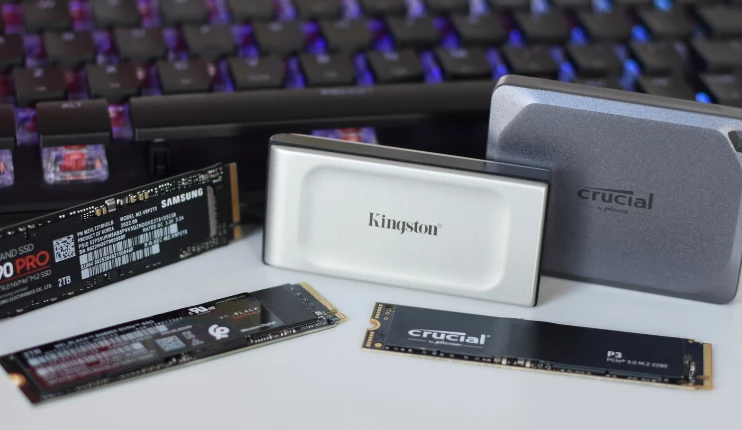
If you’re aiming for maximum acceleration, a solid-state drive (SSD) is your best ally. Store games on an SSD, and you’ll experience a rapid start and quick loading, ensuring a seamless and unparalleled gaming experience. An SSD is simply a must-have in your gaming arsenal.
Utilize Software for Optimal Gaming Performance
An entire arsenal of programs exists with the sole purpose of ensuring your gaming laptop operates seamlessly, providing you with an unforgettable gaming experience. Some of them even have the capability to give “wings” to your graphics card and processor, though such manipulations may introduce an element of instability and even lead to serious inconveniences. Let’s explore a few programs that can help achieve optimal gaming performance:
MSI Afterburner: An incredibly useful program that allows you to adjust graphics card parameters. You can control processor and graphics card frequencies, as well as manage fans for optimal cooling.
Razer Cortex: Software specifically designed to optimize your PC’s performance. It closes background programs and processes, fine-tuning graphic settings for maximum gaming quality.
Game Booster: A software that acts as a true booster, elevating your gaming performance. It shuts down unused processes, adjusts graphic settings, and optimizes the system for a seamless gaming experience.
Dust-Proof Your Laptop
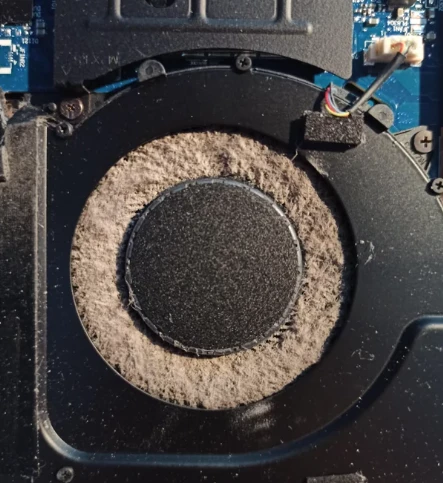
Gaming laptop optimization is always about software, but don’t overlook the physical condition of your laptop or system unit. Dust is your silent adversary. Regularly clean it to avoid overheating and system glitches.
Hardware Upgrades
Upgrading your Laptop components is the key to enhancing your gaming experience. In 2024, this means you should have no less than 16 GB of RAM and a video card with a memory capacity of at least 4 GB. Don’t sacrifice game quality—take it to the next level!
Efficient Power Consumption
If you want your PC to operate at maximum productivity, set it to “High Performance” mode in power-saving settings. Don’t hesitate to use all available resources for an unforgettable gaming experience.
Ideal Screen Resolution
Games deserve the best visual experience, so don’t compromise on image quality. Set the optimal resolution to 1920×1080, considered the golden mean for maximum gaming pleasure.
Free Up Resources
Remember that background programs and services can slow down your laptop when gaming is at stake. Avoid unnecessary system loads: turn off all unnecessary programs and applications before starting a game. Only then will your computer work at full throttle and ensure absolute control over the virtual world.
Play in Comfortable Format
In-game settings significantly impact gaming performance. If needed, consider reducing graphic settings or screen resolution to achieve smoother gameplay and high frame rates.
BIOS Settings for Improved Performance
How to optimize a gaming laptop for games? BIOS settings can be your ally in boosting PC gaming performance. Try configuring them optimally to match your hardware and game requirements.
Don’t Forget About Updates
Remember that your operating system is the foundation of performance. Keep the system up to date to ensure your laptop always operates at its peak. An outdated OS is a thing of the past, and modernity is your advantage.