
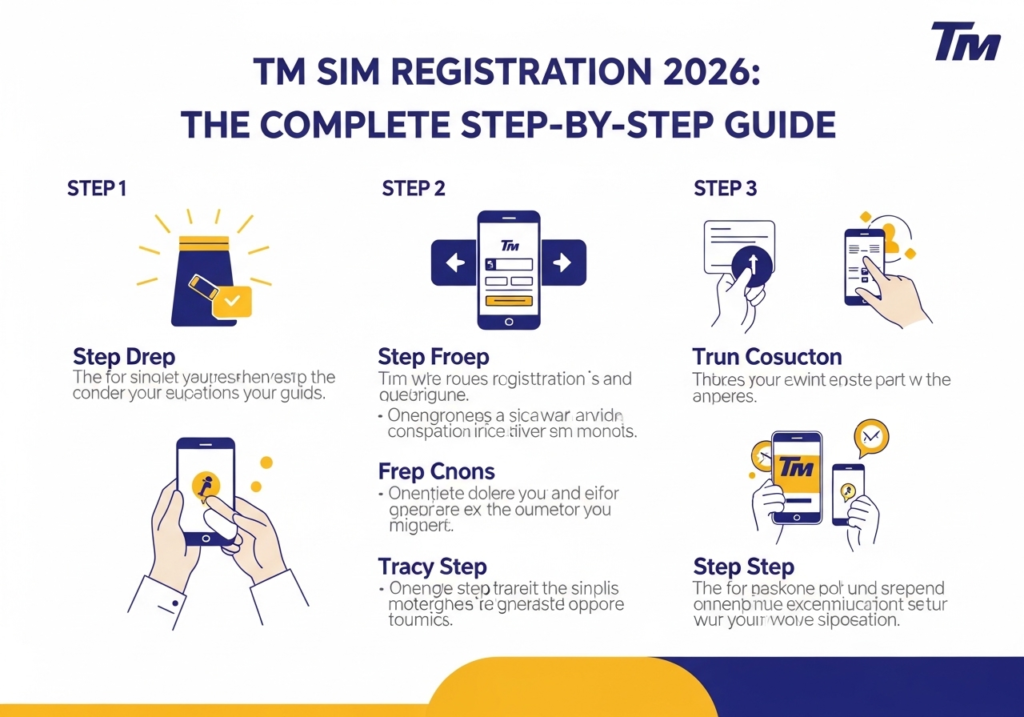
Imagine buying a brand new phone. You excitedly pop in your new TM SIM card. You expect to text your friends right away, but nothing happens. Your phone shows no signal at all. This frustrating scenario happens to many people today. The Philippine government passed a strict law recently. Every single mobile user must register their SIM card. You cannot send a text or watch a video without doing this first. Completing your tm registration takes just a few minutes. You just need a smartphone and a valid ID. This guide will walk you through the entire process step by step. We will make it super easy to understand.
Why You Must Register Your SIM Today
The government created this rule to protect normal people from bad guys. Scammers used to buy anonymous SIM cards to send fake text messages. They would trick people into sending them money. Now every number ties directly to a real person. This makes it much harder for criminals to hide in the shadows.
Your network provider will literally turn off your number if you ignore this rule. You will lose all your saved contacts. You will lose your prepaid load. You also lose access to your favourite mobile wallets. Registering protects your digital identity securely. It gives you total peace of mind every time your phone rings.
Things You Need Before Starting
Preparation is the absolute secret to a smooth experience. You do not want the website to time out while you dig through your messy wallet. You should gather a few important items before you click any links. Keep these things right on your table.
- A smartphone with a very strong internet connection.
- Your new TM SIM card is inserted into your active device.
- A well-lit room for taking a crystal-clear picture.
- One valid government identification card.
- A piece of paper with your exact address written down.
“Preparation prevents poor performance. Getting your documents ready first saves you from annoying website errors later.”
Acceptable Government IDs
The system will not accept just any random plastic card. Your gym membership or your local library card will definitely fail the security check. You must use an official document issued by the government. The ID must show your clear photo. It must also show your full legal name clearly.
Here is a simple table showing the best IDs to use:
| Type of ID | Issuing Agency | Is It Fast to Verify? |
| Philippine Passport | DFA | Yes |
| National ID (PhilID) | PSA | Yes |
| Driver’s License | LTO | Yes |
| SSS ID or UMID | SSS | Yes |
| Voter’s ID | COMELEC | Medium |
| Postal ID | PHLPost | Medium |
How to Register Your TM SIM Online
Using the official website is the most popular way to get this done. You can use your mobile phone browser or a giant desktop computer. Just make sure you use a highly secure network. Do not do this on public coffee shop Wi-Fi networks. Hackers love stealing data from public connections.
Open your favorite web browser. Type the official URL into the address bar. The site for TM users is the same portal used for Globe subscribers. Do not trust random links sent to you on social media. Scammers build fake websites to steal your personal details easily. Always type the website address yourself.
Entering Your Mobile Number
The website will ask for your 10-digit mobile number right away. Type it very carefully without the leading zero. The system will send a special code to your phone. This is called a One-Time PIN or OTP.
Check your text messages for a 6-digit number. Type that secret code back into the website box. This step proves you actually hold the physical SIM card in your hand. The website will let you inside the main registration form after you verify this code.
Filling Out Your Personal Information
Now you must tell the network exactly who you are. The form will ask for your basic human details. You must type your first name and your last name. You will also select your gender. You will pick your exact birthday from a drop-down calendar menu.
Next you must type your complete home address. Include your house number and your street name. You must also select your exact province and your city. Make sure every single word matches the address printed on your ID card. The computer system checks for exact matches to prevent fraud.
Taking the Perfect ID Photo and Selfie
This specific step usually causes the most headaches for beginners. The website will ask you to upload a picture of your chosen ID. Place your ID flat on a dark table. Make sure no annoying glare covers your face or your printed name. Snap a crisp picture using your back camera.
The system will then ask for a live selfie. Hold your phone up at eye level. Look straight into the camera lens and smile naturally. Take off any sunglasses or thick hats. The system compares your face to the photo on your ID card. It approves your application instantly if the faces match perfectly.
Reviewing and Submitting Your Data
You are almost done with the whole digital process. The website will show you a massive summary page. This page displays every single thing you just typed. Read it twice to catch any silly spelling mistakes. A tiny typo can ruin your application.
Tick the small checkbox at the bottom to agree to the strict privacy terms. Click the big submit button. The screen will load for a few seconds. A giant success message will pop up showing your official reference number. Take a quick screenshot of this number just in case you need it later.
Registering Using the GlobeOne App
Many young people prefer using a dedicated app instead of a clunky web browser. The GlobeOne app makes managing your account incredibly easy. You can download it completely for free from the Google Play Store or the Apple App Store. It takes up very little space on your phone.
Open the app and tap the big button that says “Register Your SIM”. The app will guide you through the exact same steps we just discussed. It feels a bit faster because the app uses your phone camera directly. The app also lets you track your daily data usage easily after you finish.
Troubleshooting Common Registration Errors
Technology acts up sometimes. You might encounter a few annoying roadblocks during your web session. Do not panic if the website shows a weird error message. Most problems are super easy to fix.
Sometimes the OTP text message takes a very long time to arrive. Do not click the resend button twenty times. Just wait patiently for a full minute. Heavy network traffic often delays these automated messages during the day. Try again late at night if the system feels completely broken.
Fixing Blurry Photo Rejections
The automated system will reject your application immediately if your photos look terrible. A blurry ID picture is the number one reason for instant failure. Wipe your camera lens with a soft microfiber cloth. Move to a brighter room near a big sunny window.
Make sure your fingers do not cover any tiny text on the ID card. The computer needs to read your birthday and your name perfectly clearly. Just retake the photos carefully and upload them again. The system will accept them once the lighting improves dramatically.
Enjoying Your New Connection and Promos
You just finished the hardest part of the setup. Your SIM is now fully active and totally legal. You can finally start calling your family. You can surf the wild internet without limits. TM offers some of the most budget-friendly deals in the entire country.
You should definitely check out the easysurf50 promo right away. This fan-favorite package gives you huge data allowances for a very low price. You get plenty of gigabytes to watch funny videos. You get daily extra data for your favorite social media apps. It usually lasts for three whole days. This makes it the absolute perfect choice for a fun weekend.
How to Load Your Account Fast
You need regular prepaid load to buy those awesome data promos. You do not have to walk to the corner store anymore. The modern digital world gives you plenty of incredibly fast options.
You can buy load directly inside the GlobeOne app using your bank debit card. You can also use popular e-wallets like GCash or Maya. Just open your wallet app and tap the buy load button. The credits will hit your phone in exactly two seconds.
Protecting Your Registered Number
Your phone number acts like a shiny digital key to your entire life. It connects to your bank accounts. It links to your social media profiles. You must protect it fiercely now that it holds your real human identity.
Never give your phone number to sketchy gaming websites. Do not reply to strange text messages offering you fake jobs. Real companies will never ask for your secret passwords over a random text message. Block unknown numbers immediately if they act suspiciously.
What to Do If You Lose Your Phone
Losing your smartphone feels like a massive emotional disaster. Someone could find it and use your registered number for bad things. You must act incredibly fast if this scary event ever happens to you.
Call the official TM customer service hotline immediately. Tell the agent you lost your device today. They will block your old SIM card so nobody else can use it. You can then visit a physical store to request a brand new card. This new card will have your exact same number attached to it. You just have to show your valid ID to prove your identity again.
Keeping Your Details Updated
Life changes constantly. You might move to a brand new city for a job. You might legally change your name after getting married. The law requires you to keep your registration details perfectly accurate at all times.
You can usually update your personal info through the GlobeOne app. The network might ask for new proof, like a fresh billing statement or a marriage certificate. Keeping everything updated prevents sudden service interruptions. It proves you are a highly responsible digital citizen.
Understanding 2026 Security Upgrades
The telecom companies upgraded their security systems heavily in 2026. They added better facial recognition tools to stop fake IDs from passing through the portal. This means your selfie needs to be absolute perfection.
Do not try to upload a picture of another picture. The system uses live-detection software. It knows when you use a printed photograph. Always follow the prompts and do exactly what the screen tells you. These upgrades keep the entire network safe for everyone.
Conclusion
Getting your mobile service running takes very little effort nowadays. The government mandate sounds scary initially. The actual digital process is a total breeze. You just need to prepare your ID. You follow the simple instructions on your screen carefully. You can use the official website. You can download the handy mobile app instead. Both methods work perfectly. Both methods keep your data totally safe from harm.
Registering your number protects you from annoying scams. It stops dangerous fraud completely. It locks your digital identity down tightly. You get to enjoy fast internet speeds. You unlock amazing budget promos without any weird interruptions. Grab your ID card and finish your registration right now. You will love having total access to the amazing digital world!
FAQs
Do I have to pay money to register my SIM?
No. The entire process is completely free of charge. You do not have to pay the network to activate your number. You do not have to pay the government either.
Can a minor register their own number?
No. Anyone under eighteen years old must register the number under a parent or legal guardian. The adult must provide their own valid ID. The adult must give their official consent.
What happens if I enter the wrong home address?
You might face heavy penalties if you purposely provide fake information. Always double-check your typing. Ensure your address matches your official ID perfectly before you submit the form.
Can tourists use TM network services during their vacation?
Yes. Foreigners and tourists can register a local number easily. They just need to upload their passport. They must provide proof of their hotel booking. Their active status usually expires after thirty days.
Is it safe to upload my ID to the website?
Yes. The official telecom portals use extreme security measures to encrypt your data. Your personal details remain safe from sneaky internet hackers.
How long does the verification process take?
The system usually verifies your documents instantly. You will receive a confirmation text message within five minutes. Heavy website traffic might delay this message slightly.
Can I use a student ID for my registration?
The system prefers primary government IDs. A student ID might work for minors registering under a parent. Adults should stick to things like a passport or a driver’s license for guaranteed success.